Core Concepts
Favourite Items
A favourite item records that a user saved a Craft element.
Main fields:
userId- the user who saved the favourite.collectionId- the collection where the favourite lives.elementId- the saved Craft element ID.elementType- the saved Craft element class, such ascraft\elements\Entry.notes- optional notes.sortOrder- optional manual ordering value.
Use favourite items when you need to list what was saved, who saved it, when it was saved, or which collection it belongs to.
Collections
A collection is a container for favourite items.
Main fields:
name- human readable label.handle- template-friendly identifier.description- optional explanation.userId- owner user ID, ornullfor global collections.isDefault- marks the default fallback collection.allowedElementTypes- array of allowed element classes. Empty array means all element types.sortOrder- optional manual ordering value.
Global Collections
A global collection has no user assigned:
{% set globalCollections = craft.superFavourite.collections()
    .userId(null)
    .all() %}
Use global collections for site-wide lists such as:
- Staff Picks
- Saved Articles
- Recommended Products
- Default Wishlist
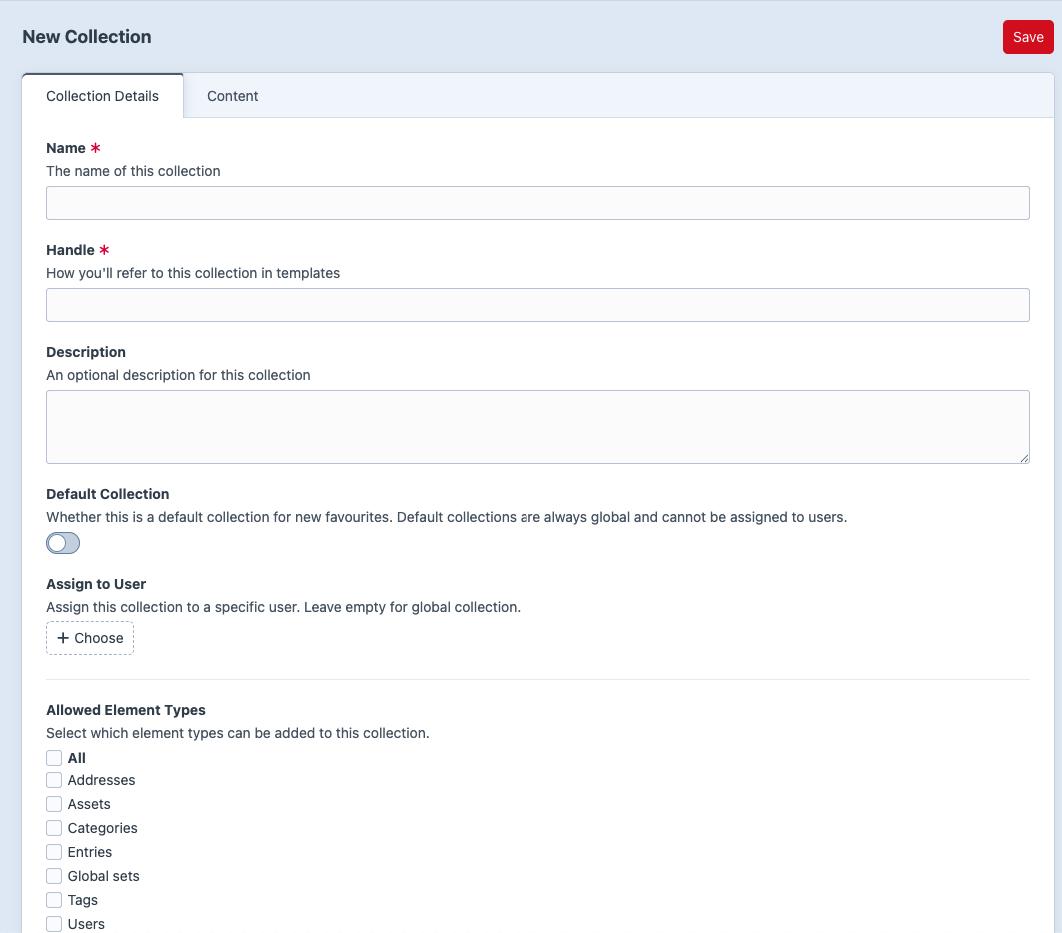
In the Control Panel, leave Assign to User empty to create a global collection. This requires admin access or super-favourite:manage-global-collections.
User Collections
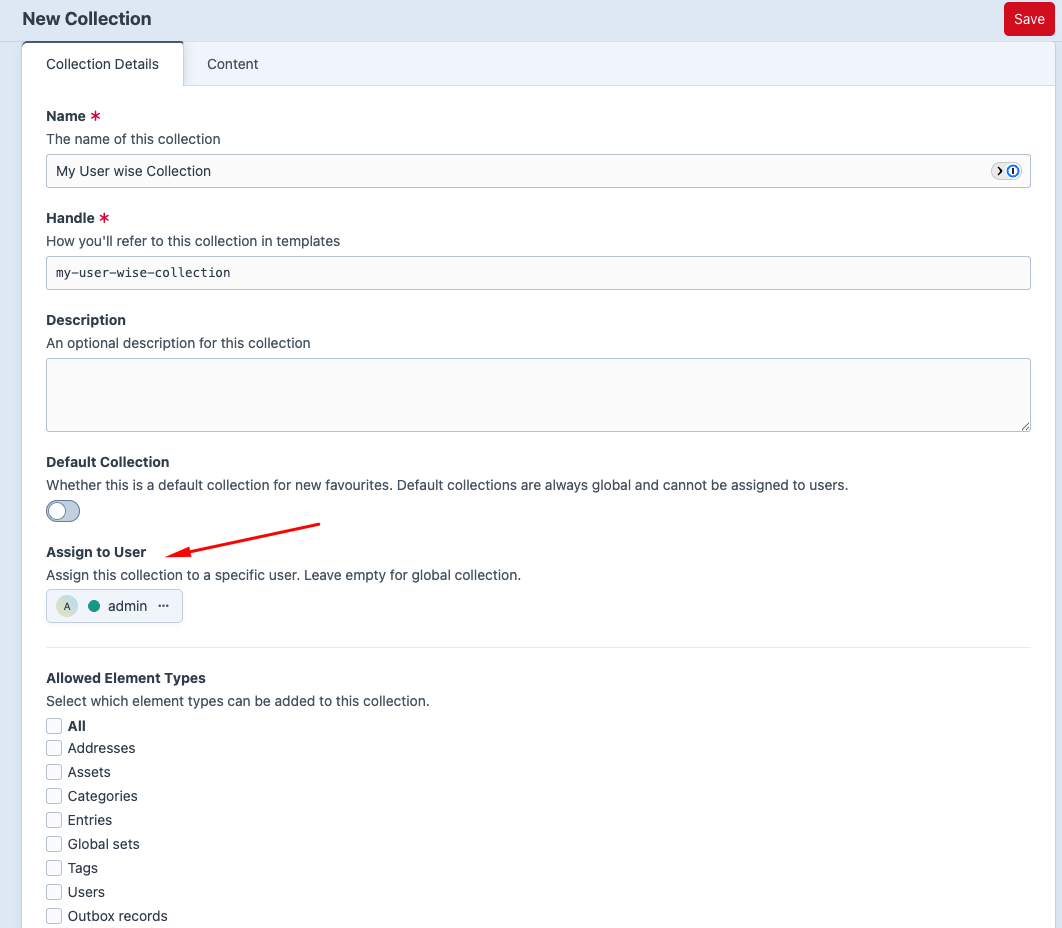
A user collection has userId set to a Craft user.
{% set userCollections = craft.superFavourite.collections()
    .userId(currentUser.id)
    .all() %}
Use user collections for personal lists such as:
- My Wishlist
- Read Later
- Buying Ideas
- Project Resources
In the Control Panel, choose a user in Assign to User.
Default Collections
Default collections are used when a favourite is created without an explicit collectionId.
Important behavior:
- A default collection is global.
- When Default Collection is enabled in the CP, the user field is cleared/hidden.
- The plugin prevents deleting default collections.
- Only one global default collection should be active at a time.
Allowed Element Types
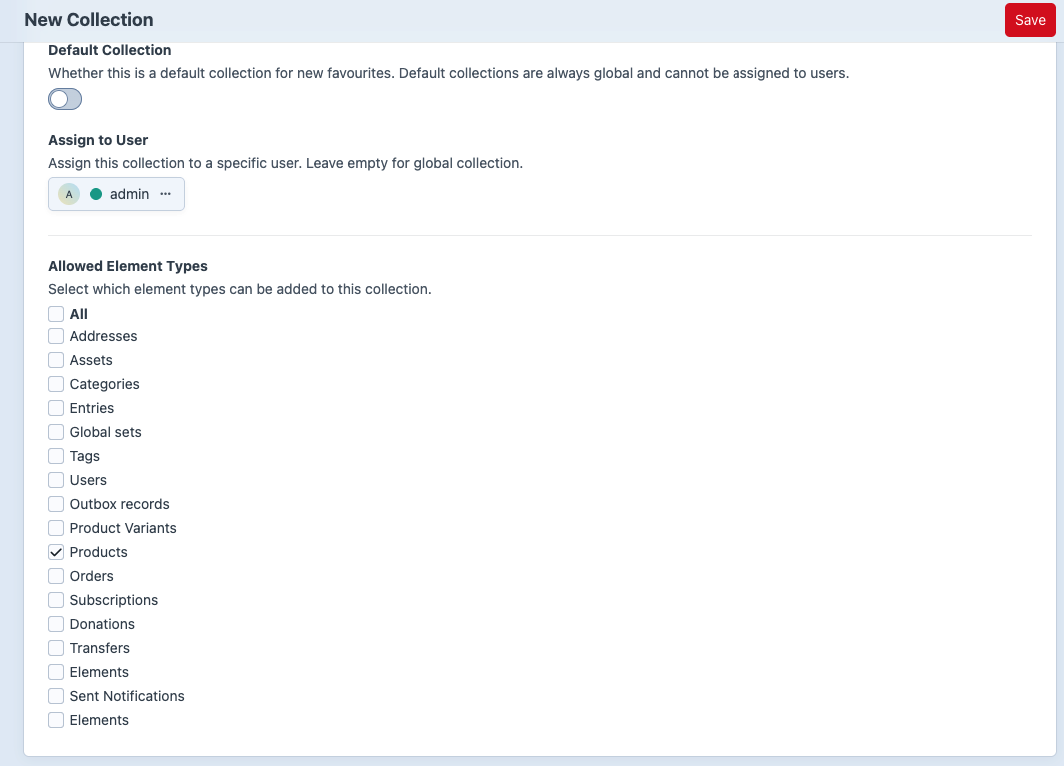
Collections can restrict what kind of elements can be saved into them.
Examples:
- Product wishlist: allow Commerce products only.
- Reading list: allow entries only.
- Media board: allow assets only.
- General collection: allow all element types.
In the CP, use Allowed Element Types on the collection edit screen.
In frontend code, render options dynamically with craft.superFavourite.getAvailableElementTypes() so the form follows the element types registered in Craft:
{% set elementTypes = craft.superFavourite.getAvailableElementTypes() %}

{% for elementType in elementTypes %}
    <label>
        <input type="checkbox" name="allowedElementTypes[]" value="{{ elementType.value }}">
        {{ elementType.label }}
    </label>
{% endfor %}
Always save through the plugin action/service. The favourite item element validates the collection's allowed element types before saving. In templates and PHP, collection.allowedElementTypes is already an array; do not call json_decode.
Custom Fields on Collections
Collections are Craft elements with content support, so they can have custom fields.
Examples:
collectionThemevisibilityLabelcoverImageshortIntrosortMode
Add fields at Super Favourite -> Settings -> Collection Fields.
In Twig:
{% set collection = craft.superFavourite.getCollectionByHandle('staff-picks') %}

{% if collection %}
    <h1>{{ collection.name }}</h1>
    <p>{{ collection.shortIntro }}</p>
{% endif %}
Custom Fields on Favourite Items
Favourite items can also have custom fields.
Examples:
- priority
- reason
- reminderDate
- giftRecipient
Add fields at Super Favourite -> Settings -> Favourite Fields.
When saving frontend favourite forms, custom field values are read from the fields namespace:
<input type="text" name="fields[reason]" value="">