Events and Conditions
Supported Events
Super Mailer lists content-related Craft events and supported plugin events.
Common examples:
craft\services\Elements::EVENT_AFTER_SAVE_ELEMENTcraft\services\Elements::EVENT_AFTER_DELETE_ELEMENT- Third-party form submission element save events.
- Third-party submission processing events.
The event list is generated from installed Craft/plugin classes, so available options depend on the project.
Event Variables
The event picker shows PHP callback variables for the selected event. Super Mailer exposes the selected event's available $event data to email templates through the Twig event variable when that data can be normalized or rehydrated.
PHP condition example:
$event->sender instanceof \craft\base\ElementTwig template example:
{{ event.element.title ?? event.sender.title ?? null }}Exact available properties depend on the event you select. Use the preview page's Template Variables panel to confirm what can be used for that notification.
Condition Rows
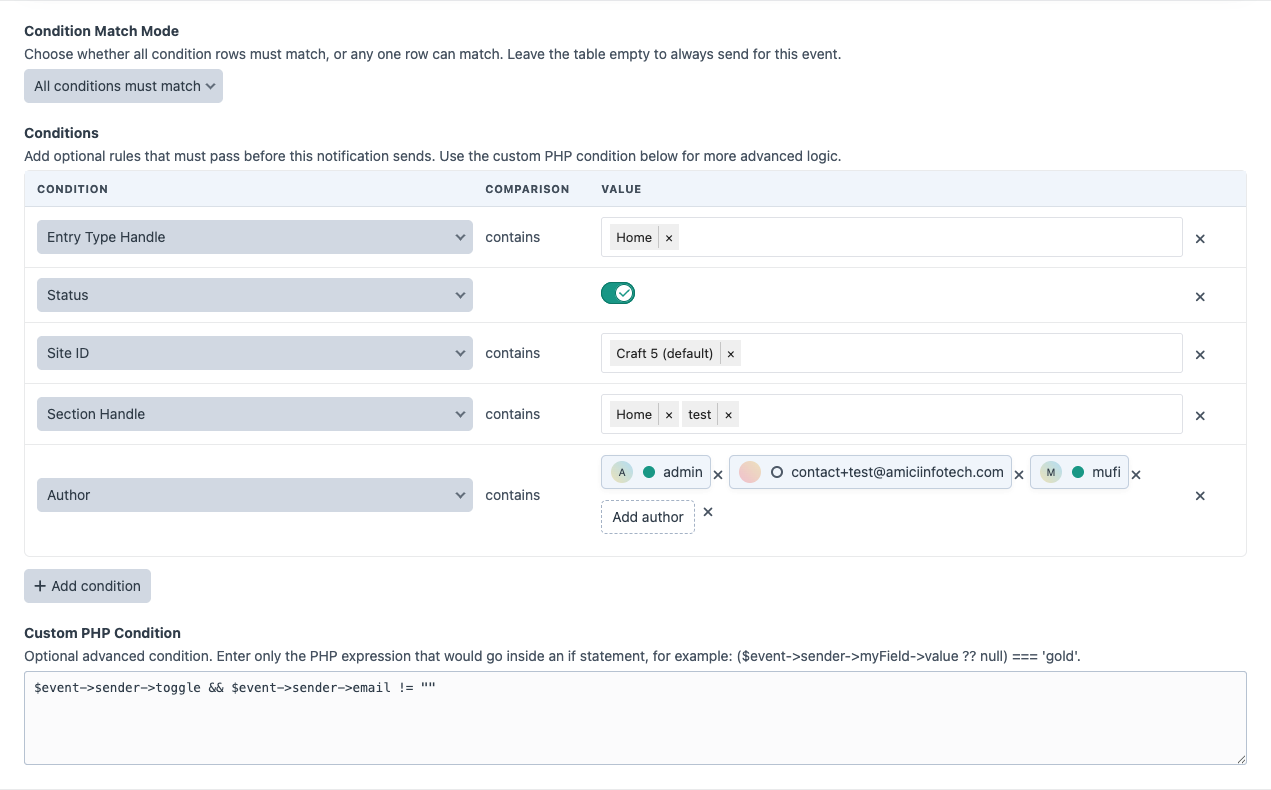
Condition rows are evaluated before a queue job is pushed.
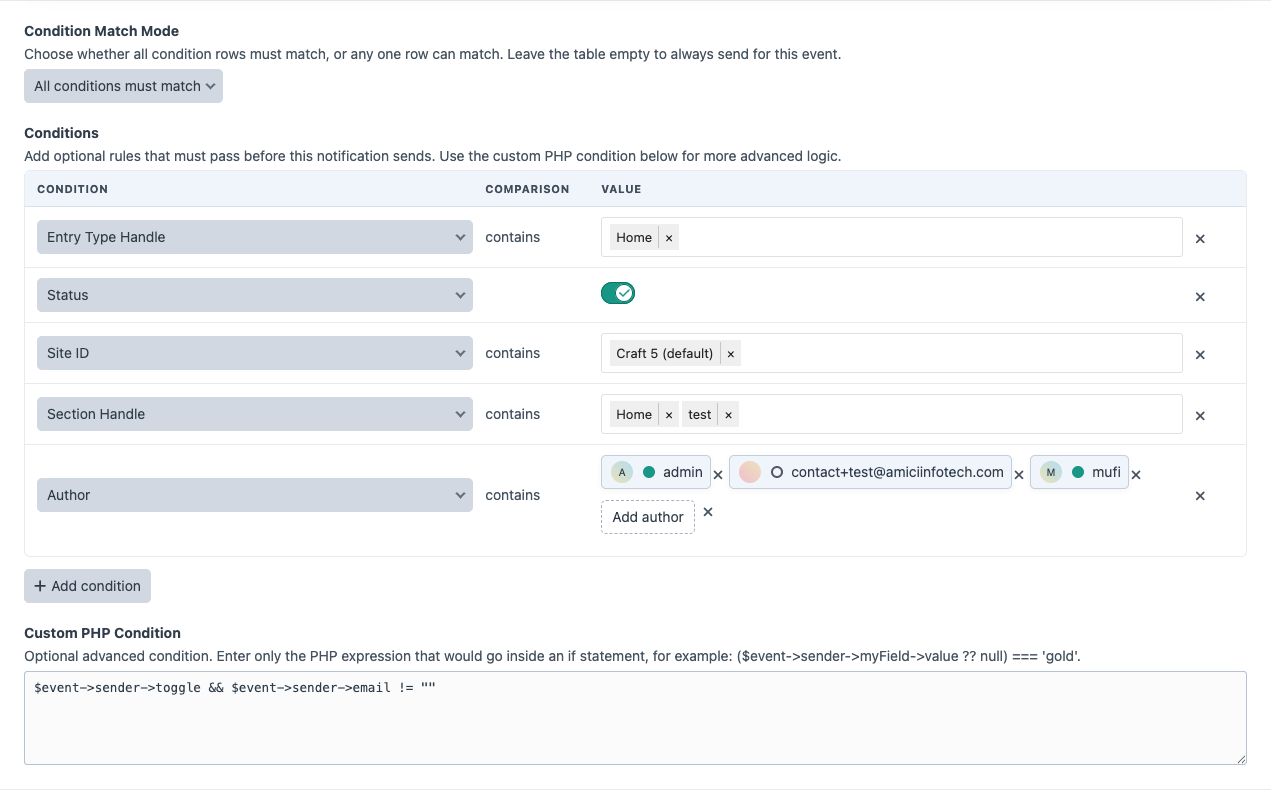
Available fields are generated from the selected event and element type. Super Mailer intentionally shows practical filters and hides noisy internal properties.
Common fields include:
- Event: Is New: whether Super Mailer considers the event a new element/content event.
- Element: Status: enabled/disabled element state, only when the element type supports statuses.
- Element: Site: a selectable list of Craft sites, only when the element type is localized.
- Entry: Section and Entry: Entry Type: selectable Entry filters, only for Entry events.
- Entry: Author: one or more Craft users.
- Category: Group: selectable category groups for Category events.
- Field: {Field Name}: custom field layout filters where the field type can be compared safely.
Custom field conditions are intentionally limited to field types that can be compared reliably:
- Lightswitch fields use a toggle.
- Option-style fields, such as dropdowns, radio buttons, checkboxes, and multi-selects, use configured field options.
- Country fields use Craft's country list.
- Email and plain text fields use text comparison.
- Money and number fields use numeric comparison.
Supported third-party and Commerce-style element events may expose curated filters such as form handle, submission form/status/user, product type, store, order status, customer, plan, gateway, and simple boolean state fields.
Super Mailer hides fields that are usually not meaningful filters, including operational, sorting, default/calculated, request tracking, and internal configuration values.
Comparisons
Condition rows support:
- is
- is not
- contains
- does not contain
- greater than
- less than
- greater than or equal to
- less than or equal to
- is empty
- is not empty
Selector-style fields use contains and does not contain so multiple selected values can be compared. Text fields use is, is not, is empty, and is not empty. Number and money fields also support numeric greater/less comparisons. Toggle fields do not show a comparison dropdown because the switch itself defines the expected value. Empty comparisons hide the value field because no expected value is needed.
Row Ordering
Use the move handle on the left side of a condition row to drag conditions into the order you prefer. Reordering is mostly for readability; matching is still controlled by All conditions must match or Any condition can match.
Match Mode
Use All conditions must match when every row must pass.
Use Any condition can match when at least one row can pass.
Status Conditions
Craft entries can return statuses such as live, while other element types may return enabled. Super Mailer normalizes these values for enabled/disabled comparisons.
Normalized enabled values:
enabled, true, 1, yes, on, liveNormalized disabled values:
disabled, false, 0, no, offPHP Conditions
Use PHP conditions for advanced checks that cannot be expressed with condition rows. Enter only the expression. Super Mailer evaluates the expression as a boolean. Failed PHP conditions are logged as warnings and treated as false.
($event->sender->siteId ?? null) === 1Draft and Revision Filtering
Super Mailer ignores drafts, revisions, derivative elements, and provisional drafts for element events. This prevents sends when Craft creates draft/provisional records during editing.
Condition Debug
The preview page includes a condition debug table showing:
- Field.
- Comparison operator.
- Expected value.
- Actual value.
- Pass/fail result.
PHP conditions are evaluated against the live event object when the actual event fires, so preview shows a note for PHP conditions rather than executing them against a synthetic preview object.