Logs and Resending
Super Mailer records each email send attempt.
Log Index
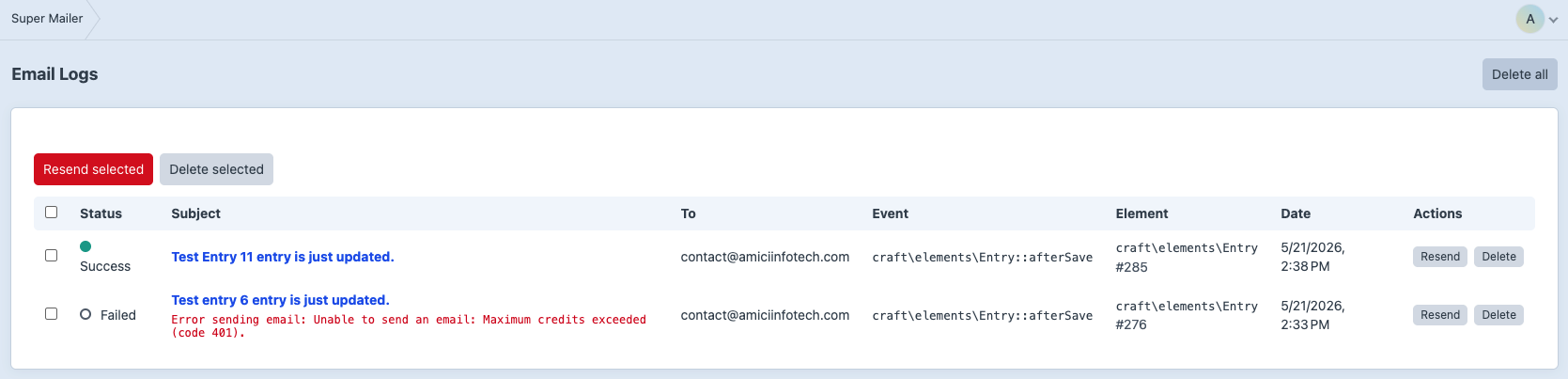
Go to Super Mailer -> Logs.
The log index shows:
- Status.
- Subject.
- To recipients.
- Event class/name.
- Element class and ID.
- Date.
- Row actions.
Click the subject to open the detail page.
Log Detail
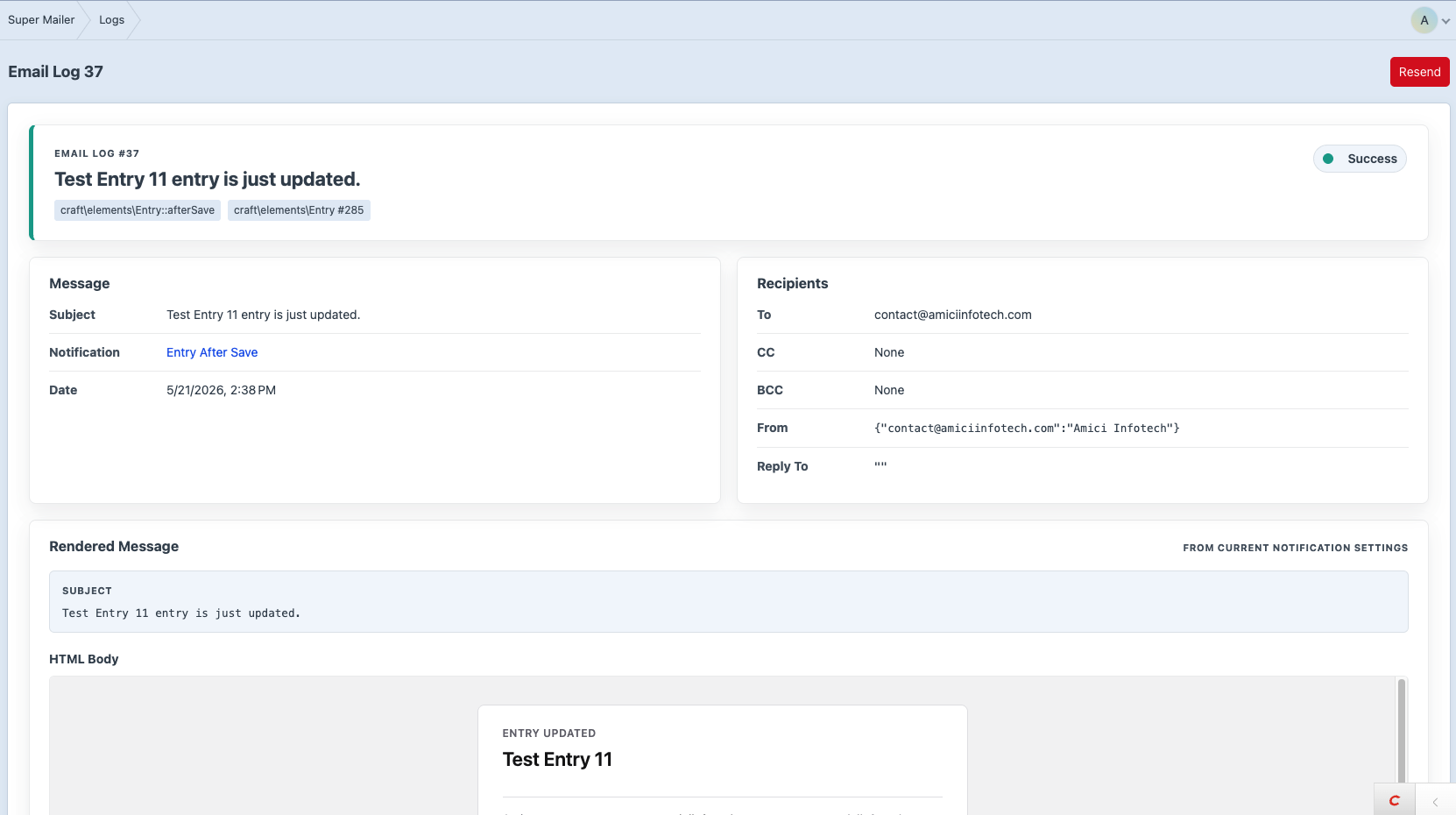
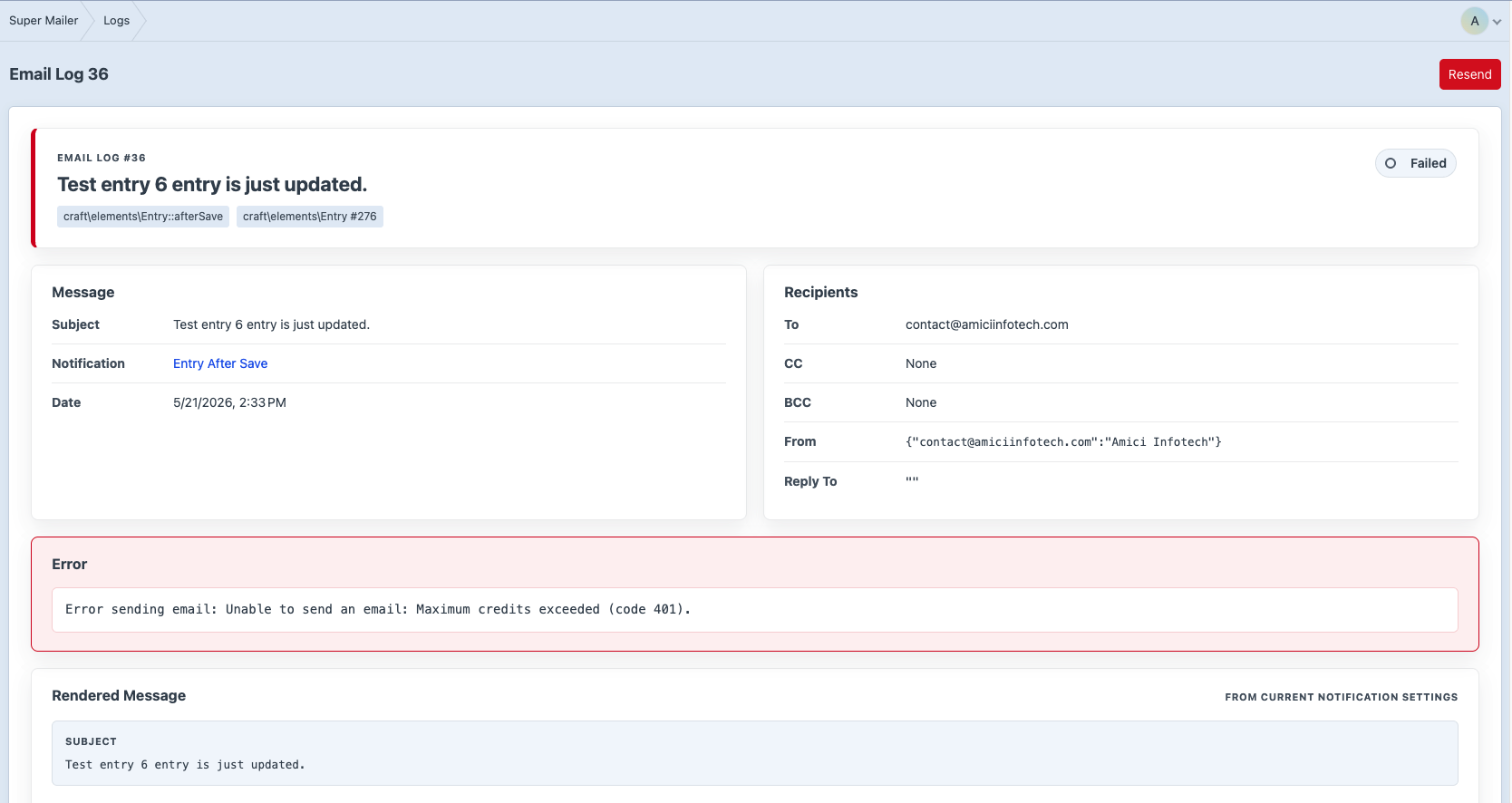
The detail page shows:
- Status summary.
- Event and element reference.
- Notification link when available.
- Message metadata.
- Recipients.
- Error trace when failed.
- Rendered subject/body from current notification settings.
- Stored event context.
Rendered output is recalculated from the stored event context and current notification settings. If the notification has been deleted, only stored log data is available.
Resend
You can resend:
- A single log from the index.
- A single log from the detail page.
- Selected logs from the index.
Resends are queued through Craft's queue and use the original stored event context.
Delete Logs
You can delete:
- A single log.
- Selected logs.
- All logs.
Log deletes are permanent.
Automatic Retention
Set Email Log Retention under Super Mailer -> Settings.
If the value is greater than 0, Super Mailer purges logs older than that many days after each send.
Console Purge
Purge by configured retention:
php craft super-mailer/logs/purgePurge all logs:
php craft super-mailer/logs/purge-allFailure Details
Failed sends can include:
- Template render errors.
- Mailer exceptions.
- Recent Craft mailer errors when
send()returns false. - Stack traces for caught exceptions.